Chart strategies: overview and lifecycle
A chart strategy is a chart indicator that also trades. ChartStrategy inherits from Indicator, so a strategy receives the same bars, trades and order book as an indicator, draws its data series the same way, and in addition holds a position, sends orders and receives the trading events of the chart.
What you build
Create a class library (see Project setup), inherit from ChartStrategy and
put the trading logic into OnCalculate. The minimal strategy below sends one market buy order when a bar closes
above the high of the previous bar.
using System;
using System.ComponentModel;
using System.ComponentModel.DataAnnotations;
using System.Threading.Tasks;

using ATAS.DataFeedsCore;
using ATAS.Strategies.Chart;
using Utils.Common.Logging;

namespace ATAS.Docs.Samples.ChartStrategies;

/// <summary>
/// A breakout strategy: one market buy order when a bar closes above the high of the previous bar.
/// It trades for real once started on a live account.
/// </summary>
[DisplayName("Breakout sample")]
public class BreakoutSampleStrategy : ChartStrategy
{
    private Order? _order;

    [Display(Name = "Order volume", GroupName = "Settings", Order = 10)]
    [Range(1, 1000)]
    public decimal OrderVolume { get; set; } = 1;

    protected override void OnCalculate(int bar, decimal value)
    {
        // CanProcess is true only for the last bar of a started strategy:
        // nothing is sent while the history is being calculated.
        if (!CanProcess(bar) || bar < 1 || _order != null)
            return;

        var candle = GetCandle(bar);
        var previous = GetCandle(bar - 1);

        if (candle.Close <= previous.High)
            return;

        _order = new Order
        {
            Portfolio = Portfolio,
            Security = Security,
            Direction = OrderDirections.Buy,
            Type = OrderTypes.Market,
            QuantityToFill = OrderVolume,
        };

        _ = PlaceAsync(_order);
    }

    protected override void OnOrderChanged(Order order)
    {
        // The handler receives every order of the chart instrument and portfolio, including manual ones.
        if (order != _order)
            return;

        if (order.State == OrderStates.Failed || order.Status() == OrderStatus.Canceled)
            _order = null; // allow a new attempt
    }

    private async Task PlaceAsync(Order order)
    {
        try
        {
            await OpenOrderAsync(order);
        }
        catch (Exception e)
        {
            this.LogError("Order placement failed.", e);
            _order = null;
        }
    }
}
Two things in it are specific to strategies:
- CanProcess is
trueonly for the last bar of a started strategy, so nothing is sent while the history is being calculated. - Orders are sent with OpenOrderAsync; the result arrives
through the order handlers (
OnOrderChangedand the others, see below), which receive every order of the chart instrument and portfolio, including the orders placed by hand.
The built strategy is installed into the strategies folder of the platform:
%APPDATA%\ATAS\Strategiesfor the classic ATAS;%APPDATA%\ATAS X\Strategiesfor ATAS X on Windows;~/Library/Application Support/ATAS/Strategiesfor ATAS X on macOS.
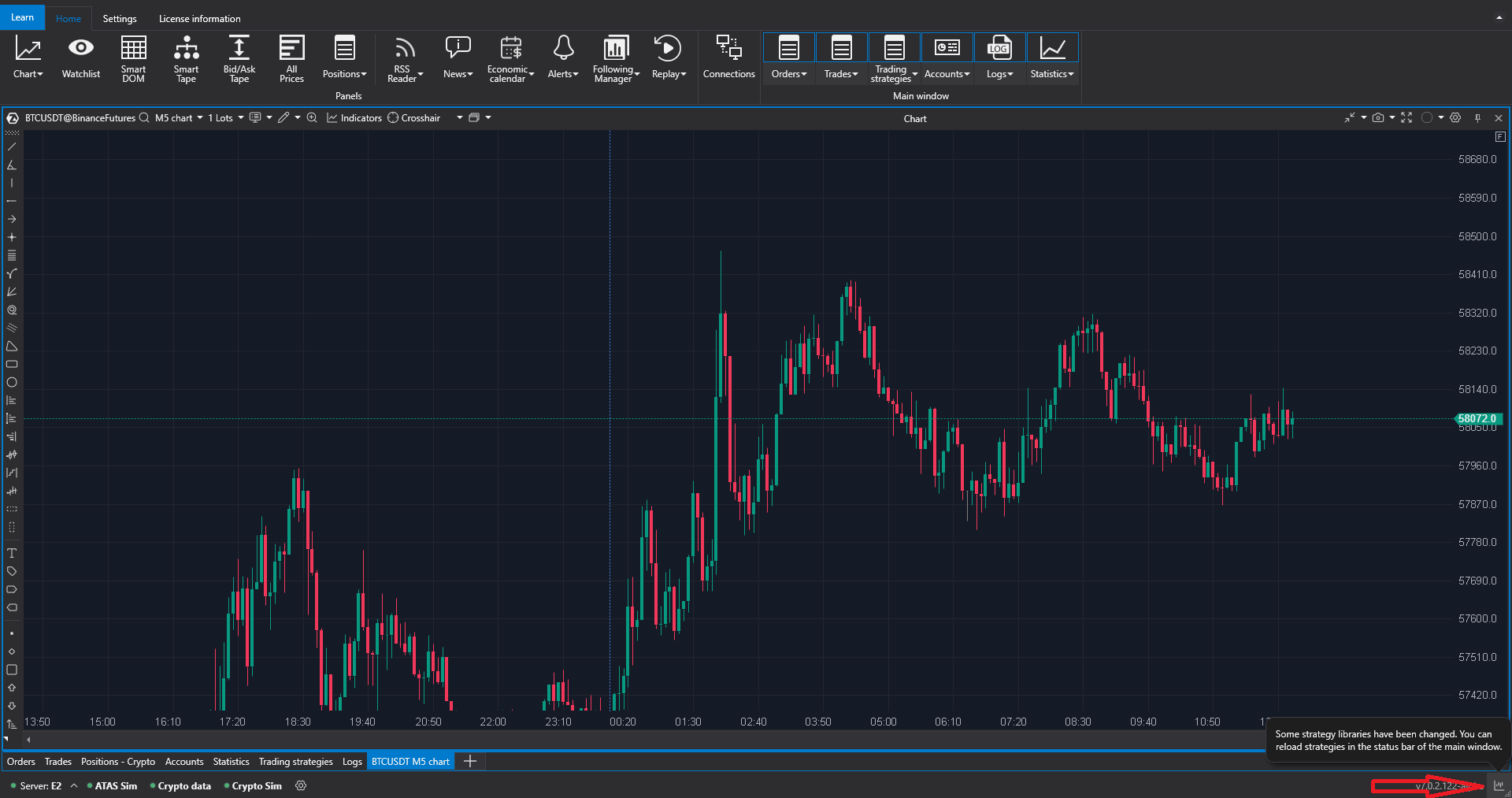
Copy the DLL there after the build (or add a post-build step that does it). In the classic ATAS, click the blinking button in the strategies window for the changed list of strategies to take effect.
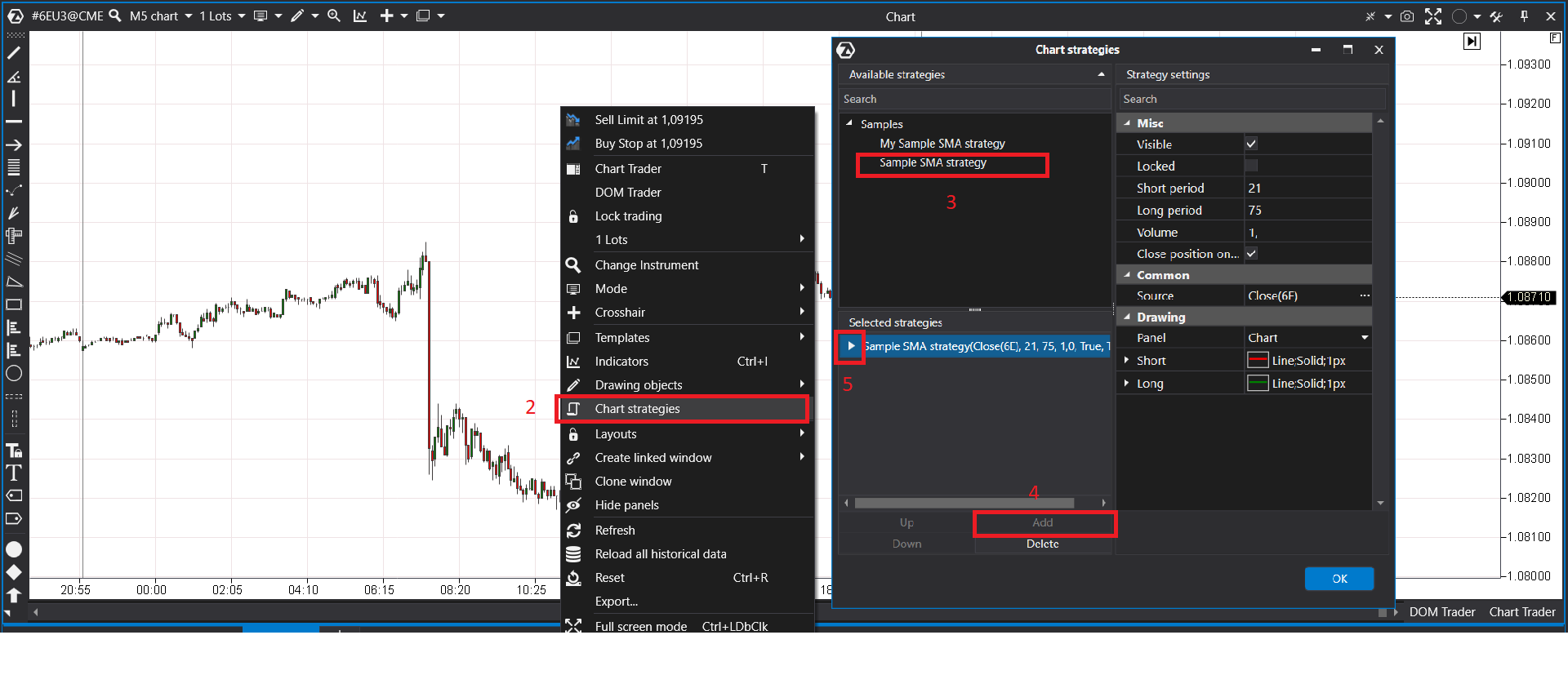
To add the strategy to a chart, open the chart context menu, click the strategy list icon, select the strategy and click Add. The control button of the strategy starts and stops it.
Properties and methods
In addition to the indicator API, a strategy has:
Properties
- Security: the trading instrument;
- Portfolio: the selected portfolio;
- MyTrades: the trades of the strategy;
- Orders: the orders of the strategy;
- CurrentPosition: the volume of the strategy's own position;
- AveragePrice: the average price of that position;
- State: Stopped, Started or Suspended.
Order methods
- OpenOrderAsync, ModifyOrderAsync, CancelOrderAsync: send, modify and cancel an order;
- OpenOrder, ModifyOrder, CancelOrder: the obsolete synchronous versions; use the asynchronous methods;
- ShrinkPrice (protected): drops the part of a price that is not a multiple of the instrument's tick size. The price is not rounded to the nearest tick: for a positive price the result is the nearest tick below;
- RaiseShowNotification (protected): shows a notification in the platform.
Virtual methods to override when needed:
- OnStarted: the strategy was started;
- OnStopping: the strategy is about to stop. It is still started at this moment, so orders placed here (for example, to close the position) are sent;
- OnStopped: the strategy was stopped;
- OnSuspended: the strategy was suspended by
SuspendAsync, after
OnStoppingand beforeOnStopped. The platform itself never suspends a chart strategy: when a chart with a strategy is closed, the strategy is stopped; - OnCurrentPositionChanged: the strategy's position changed;
- CanProcess: whether trading is possible right now. By default it checks that the strategy is started and the bar being processed is the last one.
If you override the indicator handlers in a strategy, call their base implementation: the strategy calculates its position and PnL in OnNewMyTrade and OnBestBidAskChanged, and without the base call these values are not updated.
Lifecycle
A strategy is calculated and drawn like an indicator, on the same threads: see Lifecycle and threads. The calls of all the extension kinds side by side are in Call model.
- A strategy does not start if no instrument or portfolio is selected on the chart; an error notification is shown instead.
- Orders are sent only while the strategy is started: in any other state the order methods return without sending anything.
- The platform stops the strategy itself when the instrument, the time frame or the portfolio of the chart is changed, when the chart history is reloaded and when the chart is closed. When the connection is lost, the strategy is stopped too, and it is started again automatically when the same instrument and portfolio become available.
- When a strategy is stopped, its position and its lists of orders and trades are reset.
Positions
Every strategy holds its own position, which can differ from the position of the account: the account position is TradingManager.Position, the strategy position is CurrentPosition with AveragePrice.
Important
When a strategy is stopped, its internal position is reset to zero, but the position on the account stays. Override OnStopping and close the position and cancel the working orders there.
Next
- Orders: placing, changing and cancelling orders, following their results, the order options.
- Trading data and events: the portfolio, the position, the orders and trades of the chart, and the trading statistics.
- Full example: SMA cross: a complete strategy with settings, signals and position handling.