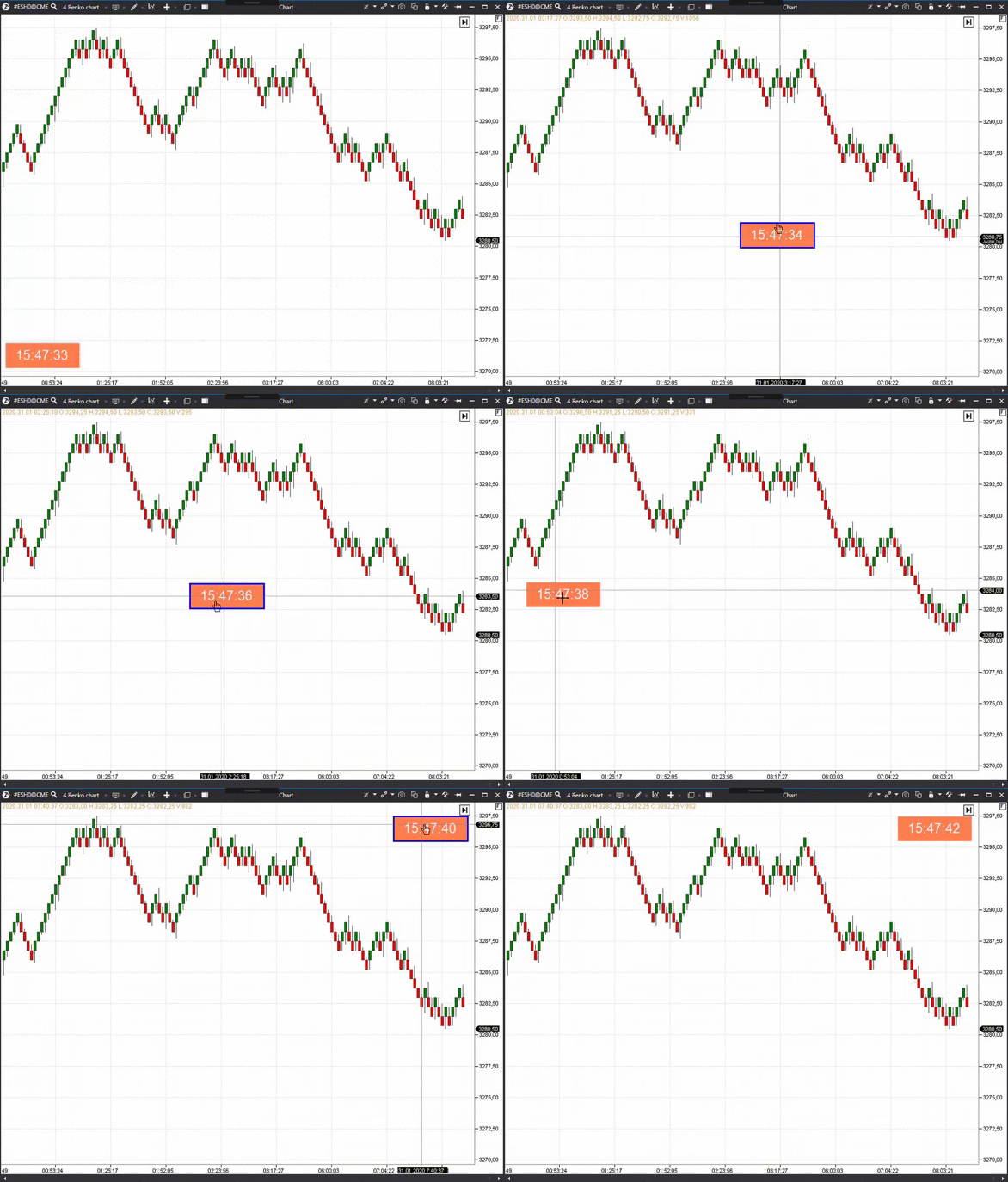
Indicators are able to react to the keyboard and mouse events.
The following methods, which could be overridden in the indicator, are envisaged for these purposes:
using System;
using System.Drawing;
using System.Windows.Input;
using Utils.Common.Logging;
public class SampleKeyboardAndMouseProcessor :
Indicator
{
private readonly
RenderPen _selectionPen =
new(Color.Blue, 3);
private readonly
RenderFont _font =
new(
"Arial", 20);
private readonly
RenderStringFormat _stringFormat =
new() { LineAlignment = StringAlignment.Center, Alignment = StringAlignment.Center };
private bool _selected;
private Rectangle _rectangle = new Rectangle(30, 30, 150, 50);
private Point _pressedPoint;
private Point _lastPoint;
private bool _pressed;
public SampleKeyboardAndMouseProcessor()
: base(true)
{
EnableCustomDrawing = true;
DenyToChangePanel = true;
DataSeries[0].IsHidden = true;
}
#region Overrides of BaseIndicator
protected override void OnCalculate(int bar, decimal value)
{
}
#endregion
{
if (_selected)
context.
DrawString(
DateTime.Now.ToString(
"T"), _font, Color.AliceBlue, _rectangle, _stringFormat);
}
{
this.LogInfo("Mouse click");
return false;
}
{
this.LogInfo("Mouse down");
{
_pressedPoint = _lastPoint = e.
Location;
_pressed = true;
return true;
}
return false;
}
{
this.LogInfo("Mouse up");
{
_selected = !_selected;
_pressed = false;
return true;
}
if (_pressed)
{
_pressed = false;
return true;
}
return false;
}
{
if (_pressed && _selected)
{
var dX = e.Location.X - _lastPoint.X;
var dY = e.Location.Y - _lastPoint.Y;
_rectangle.X += dX;
_rectangle.Y += dY;
return true;
}
return false;
}
{
this.LogInfo("Mouse double click");
return false;
}
public override bool ProcessMouseWheel(int delta)
{
this.LogInfo("Mouse wheel {0}", delta);
return false;
}
public override bool ProcessKeyDown(KeyEventArgs e)
{
this.LogInfo("Key down {0}", e.Key);
return false;
}
public override bool ProcessKeyUp(KeyEventArgs e)
{
this.LogInfo("Key up {0}", e.Key);
return false;
}
{
if (_selected && IsPointInsideRectangle(_rectangle, e.
Location))
}
private bool IsPointInsideRectangle(Rectangle rectangle, Point point)
{
return point.X >= rectangle.X && point.X <= rectangle.X + rectangle.Width && point.Y >= rectangle.Y && point.Y <= rectangle.Y + rectangle.Height;
}
}
Base class for custom indicators.
Definition Indicator.cs:50
Represents an abstract rendering context for drawing on a chart.
Definition RenderContext.cs:17
abstract int DrawRectangle(RenderPen pen, Rectangle rect)
Draws a rectangle using the given pen and rectangle.
int FillRectangle(Color brush1, Color brush2, Rectangle rect)
Fills a rectangle with a gradient using two specified colors.
Definition RenderContext.cs:85
abstract int DrawString(string s, RenderFont font, Color brush, int x, int y)
Draws a string at the specified position using the specified font and brush.
Definition RenderControlMouseEventArgs.cs:9
RenderControlMouseButtons Button
Definition RenderControlMouseEventArgs.cs:35
Point Location
Definition RenderControlMouseEventArgs.cs:33
Definition IIndicatorAnalyticsService.cs:1
DrawingLayouts
Enumerates the different drawing layouts available for chart drawings.
Definition DrawingLayouts.cs:14
Definition IRenderContextSettings.cs:1
Definition ExceptionCollector.cs:1
RenderControlMouseButtons
Specifies constants that define which mouse button was pressed.
Definition RenderControlMouseButtons.cs:10
Definition IRenderContextSettings.cs:1
StdCursor
Definition StdCursor.cs:4
 1.9.7
1.9.7  Join our developers chat